Relaywardens Switch Controls: How the Squad Moves
Relaywardens has no aim stick and no ability buttons. Here is how the drag-and-drop squad, the shop screens and the auto-cast strip map onto Switch controls.
Relaywardens is a one-input game. You do not aim, you do not fire, and you do not cast. You place units and you move the squad, and everything else — shooting, cooldowns, ability timing — happens on its own. That makes the Switch version easy to learn and slightly odd to describe, because the interesting controls are all in the shop, not the field.
How well that translates to a controller is part of the Switch review→.
The three control layers
| Layer | What you do | Where it happens |
|---|---|---|
| Field | Drag or steer the squad around the arena | Stage |
| Shop | Pick units, abilities and upgrades; sell units back | Between stages |
| System | Pause, toggle AUTO, read unit stats | Any time |
The PC build labels the shop cursor actions as LMB take and RMB remove unit. On Switch, expect the same two actions on the face buttons or a held modifier plus confirm. Nintendo has not published a button map, and the port does not appear in any control-reference database yet, so treat specific button names as something to confirm on your own screen.
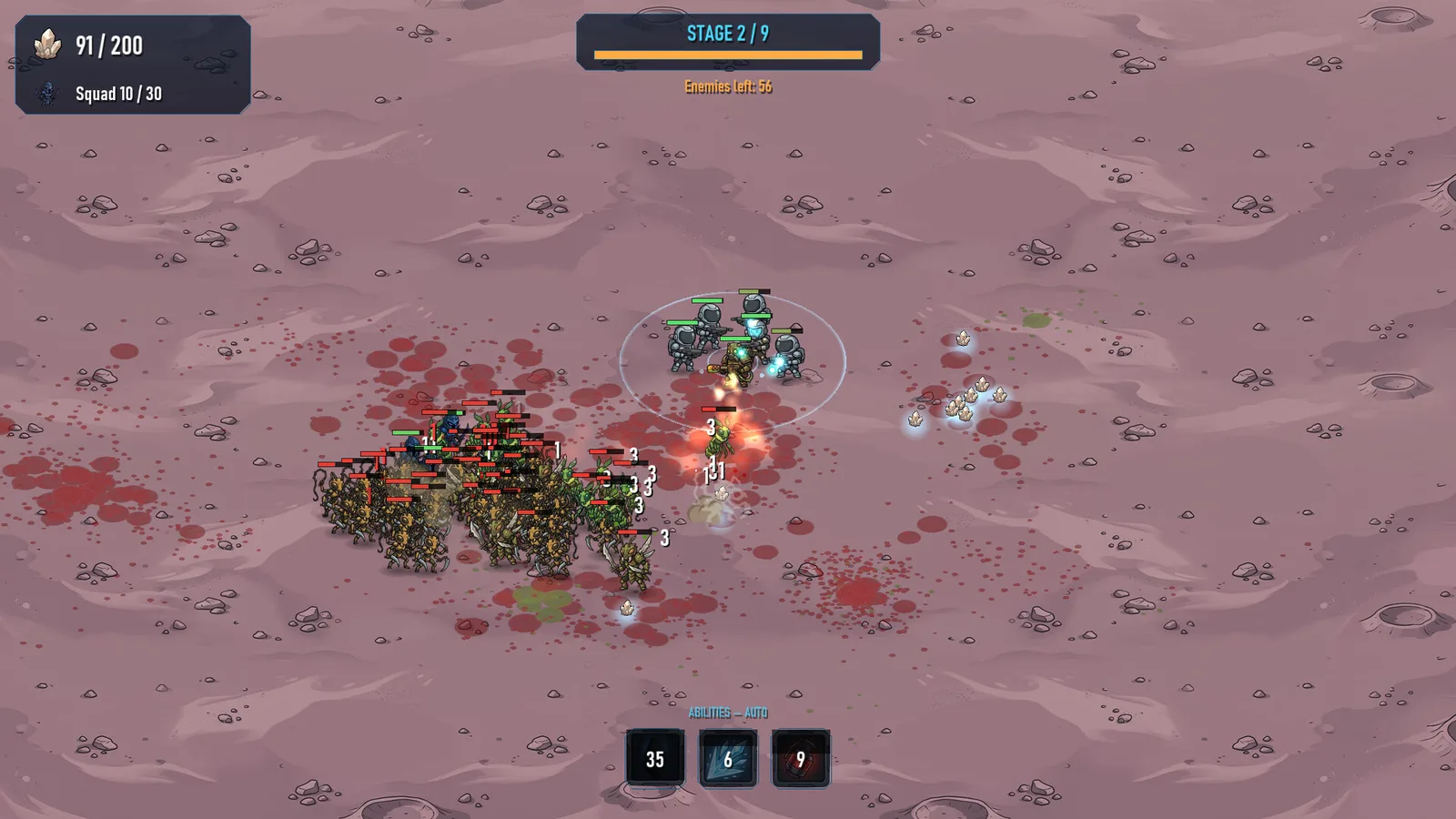
Both the field and the shop show their prompts on screen: the shop has the take/remove hints along the bottom, and the ability strip shows cooldown timers with an AUTO toggle beside them.
Moving the squad
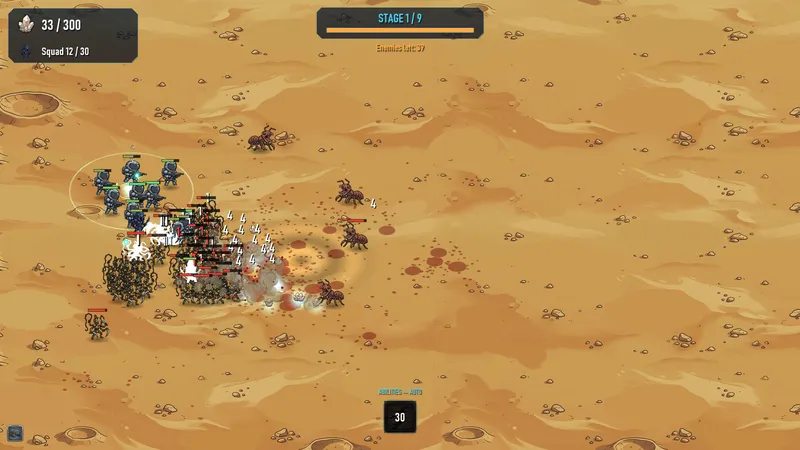
The squad moves as a group. In the footage the formation keeps its shape, with melee units in front and ranged behind, and you steer the cluster toward objectives: crystal pickups, enemy clumps, and eventually the finish zone.
Three practical consequences for a controller:
- No precision aiming. Range is a stat on the unit card (the Shotgunner lists 450), not something you line up.
- Positioning is the skill. Because you cannot dodge for individual units, the only defence is where the blob sits relative to the horde.
- The finish zone is a destination, not a trigger. You walk into it. See the finish zone guide→ for when to do that.
The shop is where the buttons matter
The between-stage shop is a card grid. You spend crystals on unit cards, ability cards and upgrade cards, and you can remove a unit you no longer want. That is three separate actions on a small screen:
- Take a card — buys the unit or ability and places it in the squad or the ability strip.
- Remove a unit — refunds nothing, but frees a leadership slot. Useful when a Flamer is eating four slots you need for Riflemen.
- Reroll — 10 crystals to redraw the shop, which matters when the cards you need are not showing.
Touch input is the obvious fit for this screen on handheld, and the card sizes are large enough that it should work. Docked, you are back to stick-and-button navigation.
What the AUTO toggle changes
The ability strip has an AUTO control. With it on, abilities fire as soon as they are ready. With it off, you choose when to spend a cooldown. For most players AUTO is correct — the abilities are simple area effects, and holding a Tornado for the right moment is a smaller gain than simply having it fire twice as often. The abilities guide→ covers the timing cases where manual is better, mainly boss stages.
Handheld, tabletop and docked
The eShop lists the usual three modes with one player on a single system. Nothing in the design needs a second screen or a pointer:
- Handheld is the natural fit: the top HUD strip (squad count, crystals, stage, enemies left) stays readable, and the shop is thumb-friendly.
- Tabletop works the same way with detached Joy-Con.
- Docked is fine, but the game is a top-down arena with small units — a big screen makes the blob easier to read and the text smaller relative to the frame.
FAQ
Does Relaywardens use motion controls?
No motion control is listed on the eShop page, and nothing in the game's prompts suggests it.
Can you play with one Joy-Con?
Not stated. The game is single-player and turn-free, so a single controller should be enough in principle, but the store page does not confirm a one-Joy-Con mode.
Is there a button to cast abilities?
No. Abilities are auto-cast with an AUTO toggle; there is no cast button to map.
Can you pause during a stage?
The PC build shows a pause control in the HUD area, and pausing mid-stage is standard for the genre. Confirm the exact button on your own build.
Official source: Nintendo eShop listing for Relaywardens ↗, Steam store page ↗, PlayStation Store listing ↗